The desktop
OpenStation makes WordPress feel like a computer you own.
Movable windows, a dock, and a workspace that feels like yours — without replacing the WordPress underneath it.
OpenStation turns WordPress into a desktop. ODD fills it with useful tools, playful experiments, and strange little ideas.
One click opens a temporary WordPress site with OpenStation and all three apps waiting in ODD Shop.
Movable windows, a dock, and a workspace that feels like yours — without replacing the WordPress underneath it.
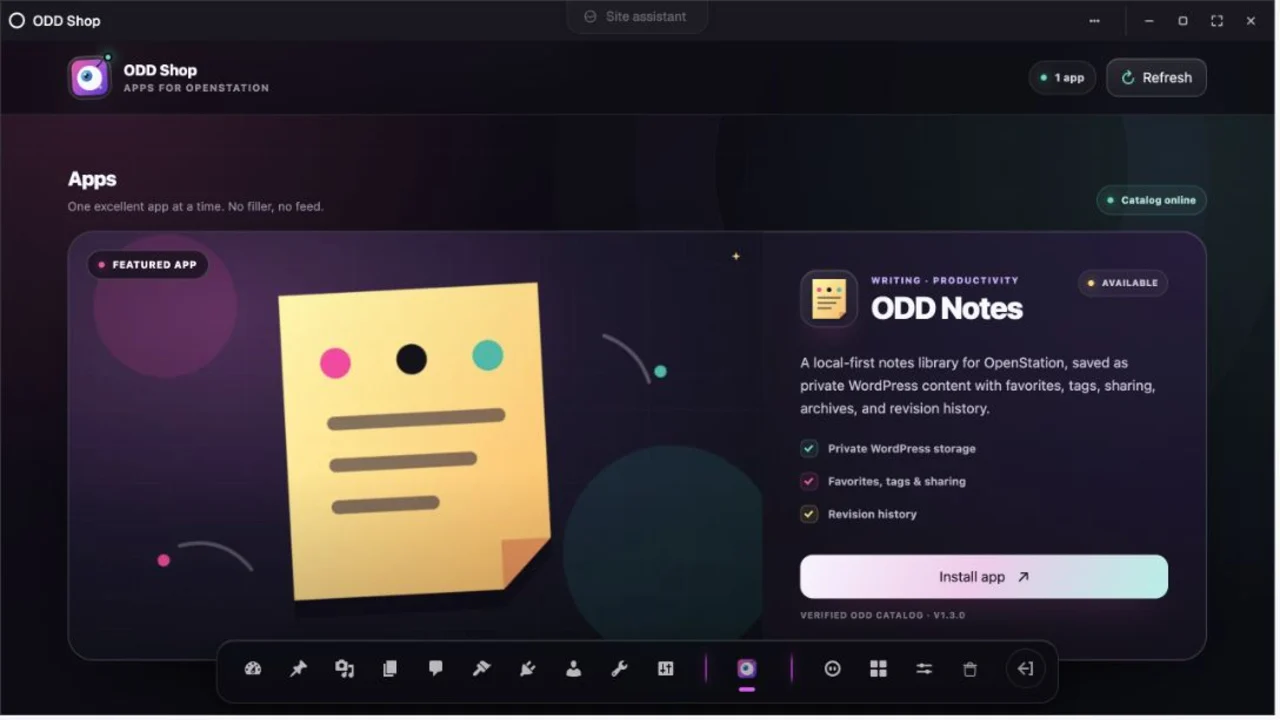
Browse the Shop, install an app, and launch it in a native OpenStation window. No admin-page detour required.
ODD Notes saves private notes in your site, with recovery and revision history. Your desktop is not another SaaS account.
Write notes, manage collections, save reading, manage patterns, compare revisions, plan air dates, review pending content, or reach for sharp utilities. Every app arrives through the catalog and opens in its own OpenStation window.
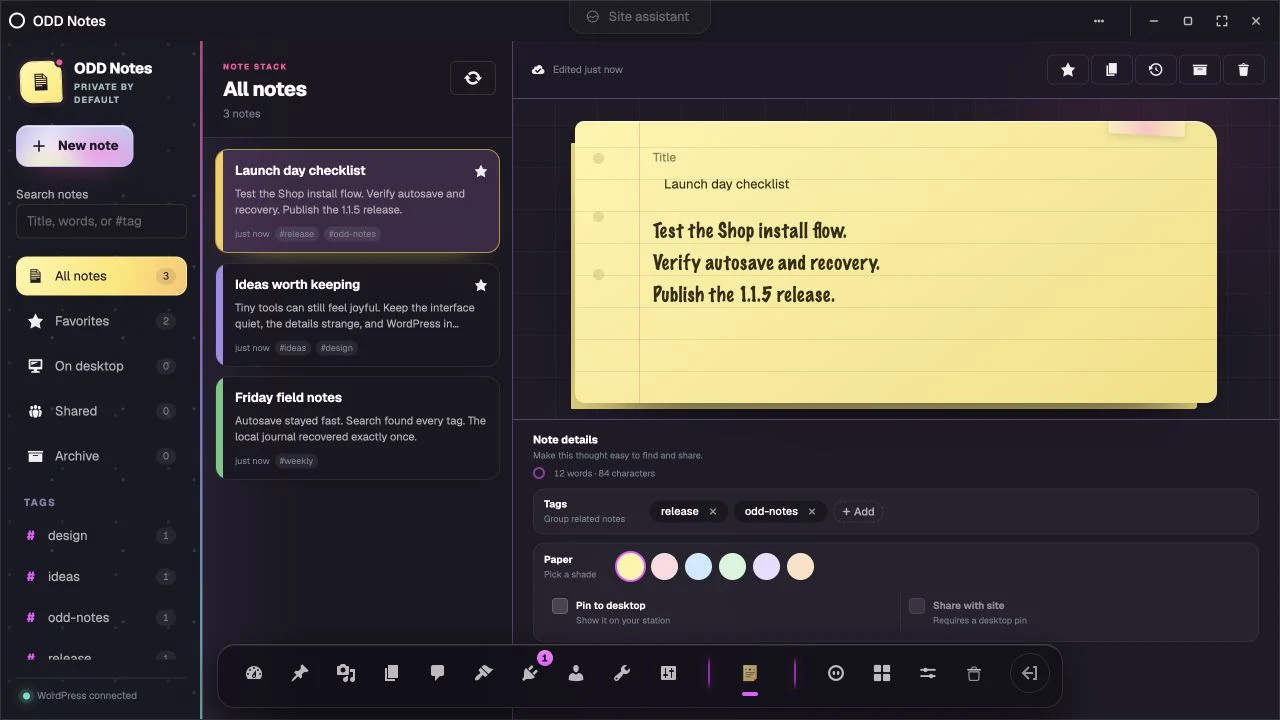
A calm, WordPress-backed notes library with autosave, organization, desktop pinning, sharing, recovery, and revision restore.
A focused shelf for browsing, previewing, copying, renaming, duplicating, and retiring WordPress synced patterns.
Private shelves for books, gear, records, recipes, or anything worth tracking with notes, tags, and dates.
Save links privately, keep a focused reading queue, mark progress, and export your list whenever you want.
Compare WordPress post and page revisions, then safely restore an earlier title, body, and excerpt.
See the publishing calendar and schedule, reschedule, or cancel posts and pages without touching their content.
A Pending Review inbox for safely previewing, approving, or returning WordPress posts and pages.
Six local utilities for text cleanup, Markdown, slugs, JSON, diffs, and common encoding conversions.
Catalog-powered. Apps can ship and improve without a new ODD plugin release. Help build the next one →